
It started with a broken workflow and ended with a lesson about a threat most people building AI systems haven’t thought about yet.
My home AI lab runs on N8N for orchestration, Ollama for local models, and OpenRouter.ai for when I need to reach out to hosted models. It’s a setup I’ve built deliberately to use local first, cloud when necessary, cost limits baked in by design. Time is money, but so are tokens.
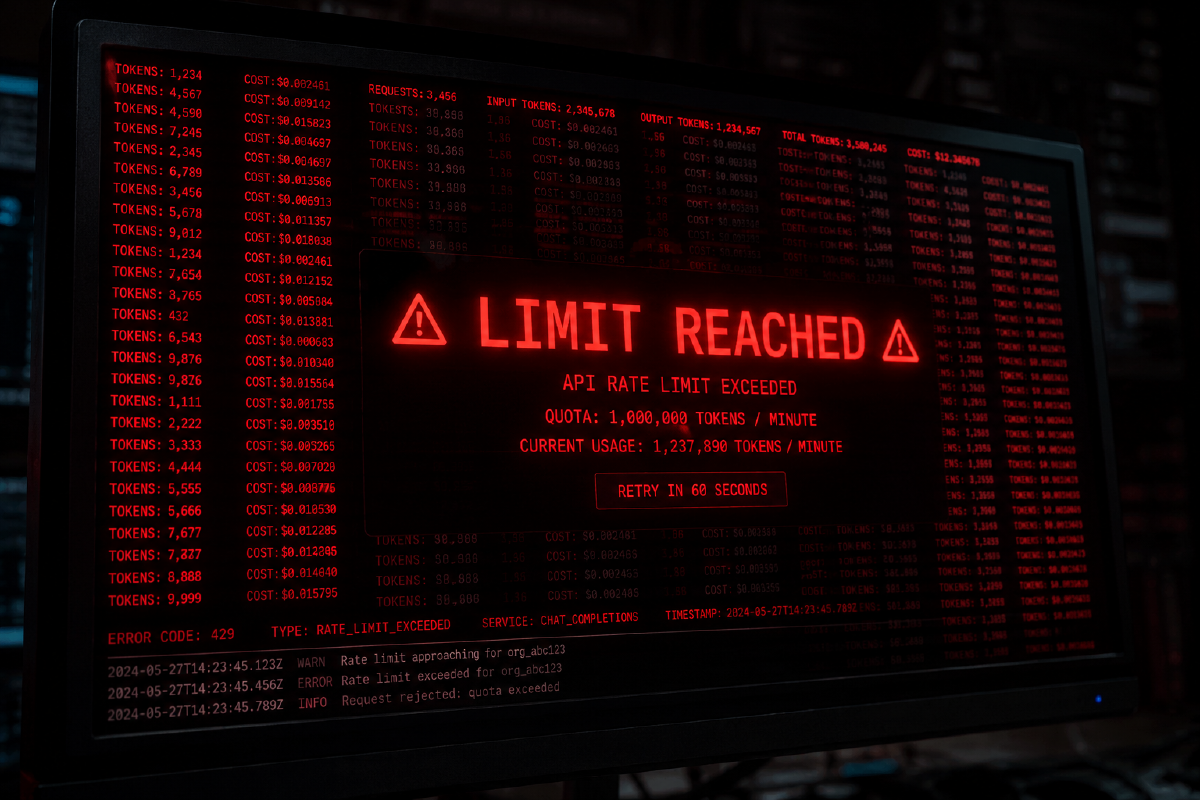
One day, a workflow just stopped. No error I recognised in my workflow. I went digging in the logs and found the culprit nearly immediately: I’d hit my OpenRouter daily spending limit. The guardrail I’d deliberately put in place had fired.
Good.
That’s exactly what it was there for. Except now I was down. Dead in the water. The safety mechanism that protected my wallet had also taken out my capability.
Not good.
The setup #
Before getting into the problem, here’s roughly how my lab is wired:
- N8N handles workflow automation it’s the connective tissue, chaining together triggers, logic, and model calls
- Ollama runs local models on my own hardware that’s free to run (electricity aside), private, and fast for the right tasks
- OpenRouter provides access to hosted models when I need something my local hardware can’t handle, but tokens cost. Nothings free.
The cost limit on OpenRouter was intentional. I set it low enough that a runaway workflow couldn’t do serious damage. I’d read the horror stories: someone’s misconfigured agent loops indefinitely, hammering an API, and wakes up to a bill that stings. I wasn’t going to be that person. But I did learn a lesson.
What actually happened #
A workflow I’d built started misbehaving. Rather than completing cleanly, it was retrying. And retrying. And retrying. Each retry meant another call to a hosted model via OpenRouter. Each call burned tokens.
The loop wasn’t obvious from the outside; N8N kept running and no workflow-level error was thrown. From the orchestration layer’s perspective, everything looked fine. It was only when the spending limit tripped that anything visibly broke.
By then, the budget was gone.
The cost limit saved me from a larger bill. But it also introduced a hard dependency I hadn’t properly accounted for: the moment that limit is hit, everything routing through OpenRouter stops. Any workflow relying on a hosted model becomes non-functional until the limit resets or is manually raised.
My own safety control had become a single point of failure.
This is a real attack surface #
Here’s where this gets interesting from a security perspective.
In a traditional DDoS, an attacker floods a target with requests until it falls over, volumetric attacks exhausting bandwidth, protocol attacks exhausting connection limits. The goal is denial of service.
Token exhaustion attacks work on the same principle, just against a different resource.
If an attacker can trigger calls to your LLM backend provider whether through a public facing app, an exposed webhook, or a poorly secured workflow they don’t need to crash your server. They just need to burn through your budget. Once the limit hits, your AI-dependent services go offline on their own. You’ve been DDoS’d, and the weapon was your own cost controls.
For home labs and small teams, this is a particularly uncomfortable threat model. You’re likely running tight budgets precisely because you care about costs. The same financial discipline that makes you responsible also makes you vulnerable: your limits are low, which means they’re easy to exhaust.
The uncomfortable trade-off #
Cost limits are the right call. Don’t remove them!
But they introduce a failure mode that needs to be designed around, not ignored. A hard spending cap without fallback logic is a single point of failure dressed up as a safety feature.
Some things worth thinking about:
Separate budgets per workflow. If one workflow exhausts a shared limit, everything else goes down with it. Isolating spend by workflow or by use case means a runaway process takes itself offline, not your whole lab.
Local model fallback. If you’re running Ollama anyway, can a workflow degrade gracefully to a local model when the hosted API is unavailable whether that’s because of a cost limit, an outage, or a network issue? A response that’s slower or slightly less capable is better than no response at all.
Alert before the limit, not after. By the time the limit fires, you’re already down. A notification at 50% or 80% spend gives you a window to investigate before the circuit breaker trips.
Rate limiting at the workflow level. Before the request even reaches OpenRouter, how many times can a workflow call an LLM in a given window? A retry loop that’s capped at five attempts per minute can’t burn through a budget in seconds.
Audit your retry logic. Retries are essential for resilience, but unbounded retries against a metered API are a cost hazard. Every retry should have a ceiling.
The bigger picture #
AI-powered systems introduce a class of resource that most traditional security and reliability thinking doesn’t cover: metered intelligence. Compute, bandwidth, and storage have all had their failure modes studied for decades. Token budgets are new, and the tooling for managing them safely is still catching up.
For those of us building in home labs, the stakes are lower than a production environment but the lessons are the same. A runaway workflow in my lab costs me a few pounds and an evening of debugging. The same architectural mistake in a product serving real users could be much more damaging.
Build in the cost limits. Then build around them.
What does your AI setup look like when a spending limit fires? Do you have a fallback, or does everything just stop? I’m curious how others are handling this.
Reply by Email